Small Portfolio
Rent Tracking for Landlords With Just 1 or 2 Properties
Updated October 3, 2026 · 5 min read
"I only have one rental. Do I really need an app for that?"
Fair question. When you rent out a single flat or a spare room, using software to track one monthly payment can feel like overkill. You know the tenant and the amount, and you check your bank once a month.
For some landlords, that's enough. But there's a gap between "I can manage" and "I'm actually on top of things," and that gap tends to show itself at the worst possible moment.
Do you need an app to track rent for one property?
You don't need an app to track rent for one property, but you do need something that speaks up when a month goes unpaid, and memory doesn't. With so little to track, nothing forces you to check, so a missed transfer can sit for weeks. RentDue is free, with ads, for one or two properties and takes about thirty seconds a month.
Your head is also holding your job, your bills and everyone's schedule. Rent gets filed alongside all of that, and some months it slips: you were travelling and can't remember whether November came in, or the tenant paid on the 4th instead of the 1st and you never noticed. None of it is a catastrophe. It creates doubt, and doubt is what sends you through bank statements on a Sunday night.
How many landlords only have one or two properties?
Small landlords are the majority, not the exception: in England, 45% of private landlords own a single rental property and a further 38% own two to four, according to the English Private Landlord Survey 2024. More than half of landlords who registered a deposit themselves said they used no agent. RentDue is built for that self-managing majority.
The English Private Landlord Survey 2024, published by the Ministry of Housing, Communities and Local Government on 5 December 2024, also shows the flip side: the 17% of landlords with five or more properties hold 49% of tenancies. Software follows the tenancies, which is why so much of it is written for the 17%.
| Portfolio size | Share of landlords | Share of tenancies |
|---|---|---|
| One property | 45% | 21% |
| Two to four properties | 38% | 30% |
| Five or more properties | 17% | 49% |
Why doesn't most landlord software fit one or two properties?
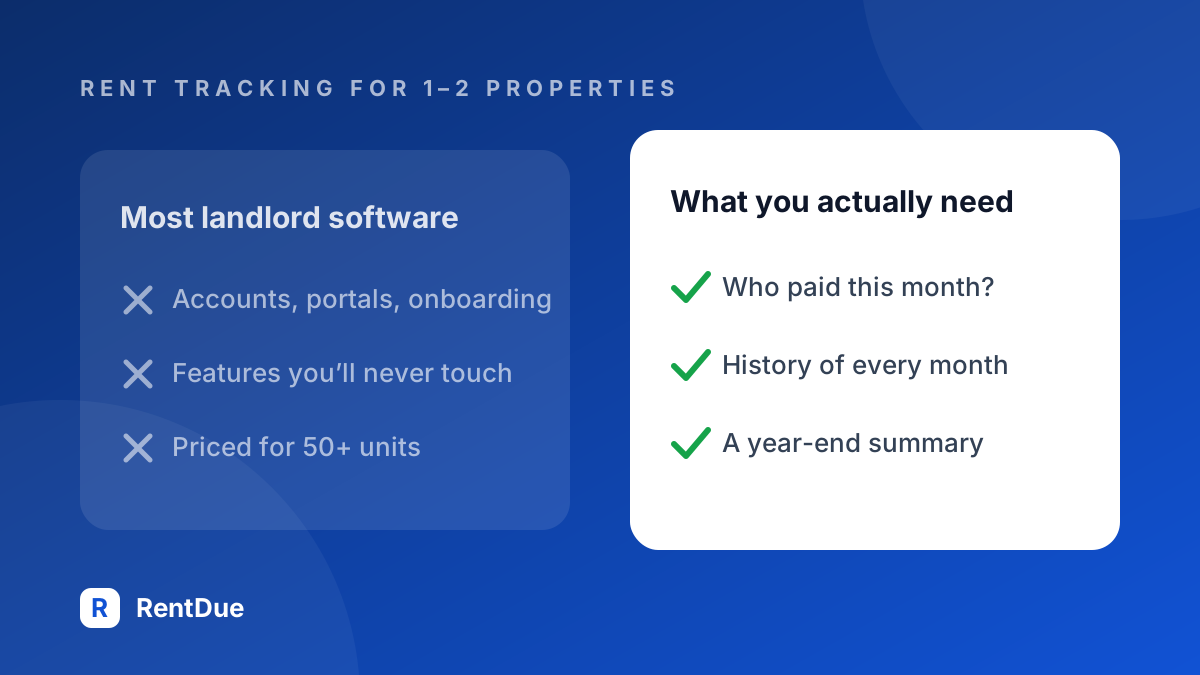
Most landlord software doesn't fit one or two properties because it is built for portfolios: tenant screening, lease signing, maintenance portals and accounting dashboards, priced as if you ran a business with staff. RentDue takes the opposite bet. Software made for fifty units asks a one-flat landlord for portfolio details before marking a single payment.
Typically, you create an account and verify your email, the onboarding asks about your "portfolio" and wants lease terms and payment schedules, and the dashboard is full of vacancy tracking and work orders you'll never touch. You mark rent as paid, close the app, and next month you've forgotten where the button was.
What does rent tracking for one or two properties need?
Rent tracking for one or two properties needs three things: whether the tenant paid this month, a history of every month, and a summary at the end of the year. RentDue does those three on the phone, with no account and no bank connection: open the app, mark the month collected, close it. Total time, about fifteen seconds.
What makes a single rental complicated to track?
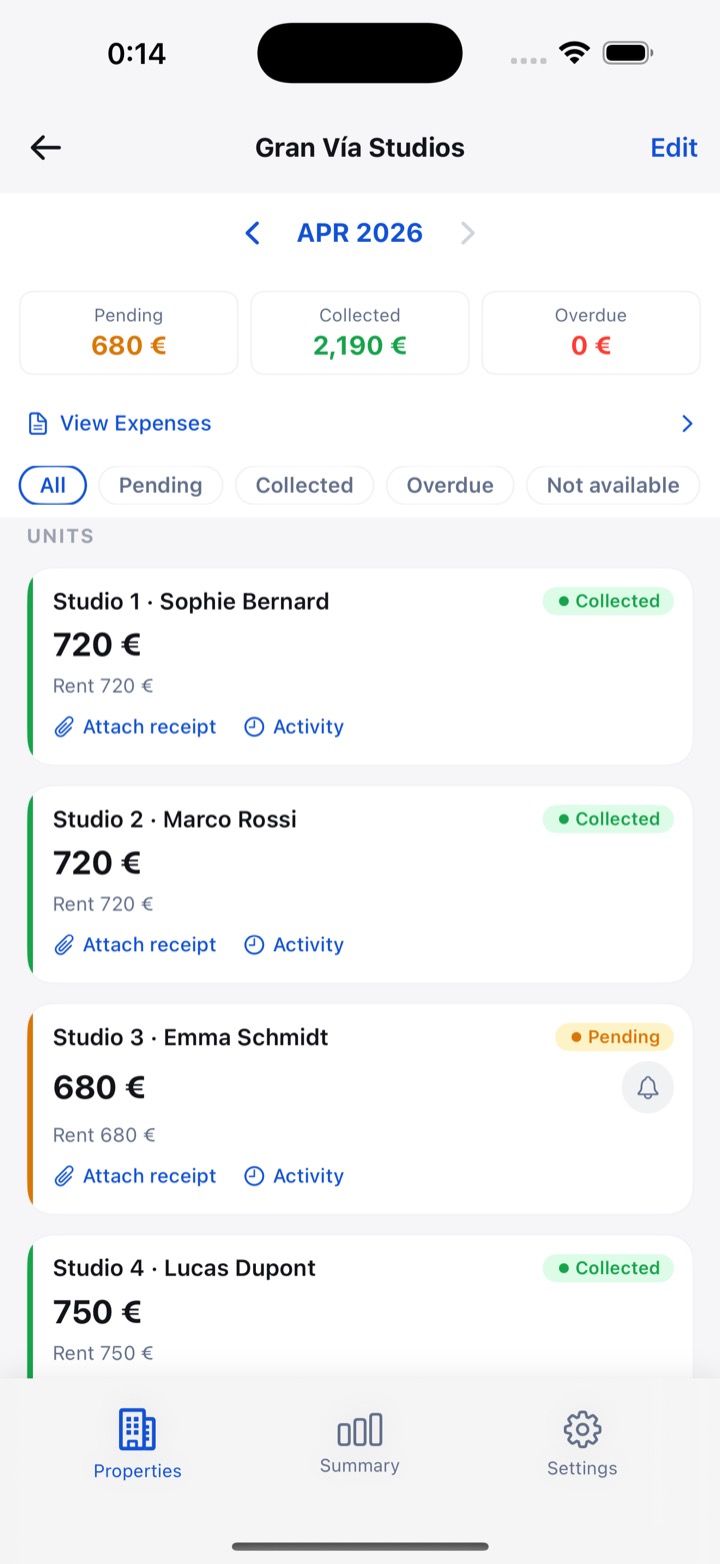
A single rental gets complicated to track when it stops being one payment a month: rooms let separately, a tenant who leaves mid-year, dates that drift, and costs that eat into the rent. RentDue handles each one as a unit, a status or an expense, so the property stays one place to look even when the month isn't simple.
- Renting by the room. One flat, three tenants, three payments. Each room becomes a unit with its own status.
- Tenant turnover. A tenant leaves in March and the next arrives in May. The empty month can be marked not available instead of sitting there as unpaid.
- Irregular dates. Set a due day for each property to match its lease, so a tenant who always pays on the 5th doesn't show up overdue on the 2nd. The other lease dates worth a reminder, such as notice deadlines and renewals, are in lease due date tracking.
- Expenses. Community fees, insurance and the odd repair can be logged against the property, and they travel with the rent in the export.
What does a month of rent tracking look like?
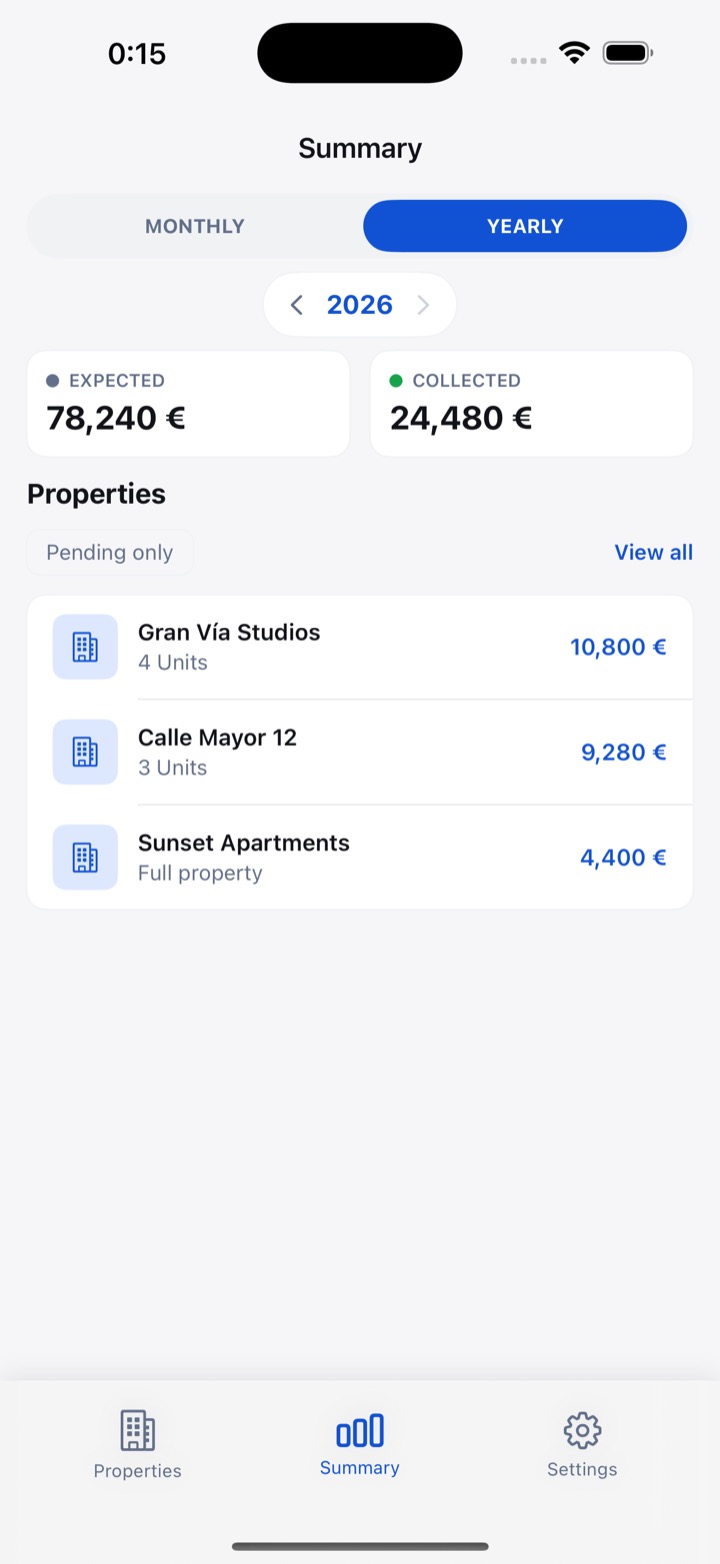
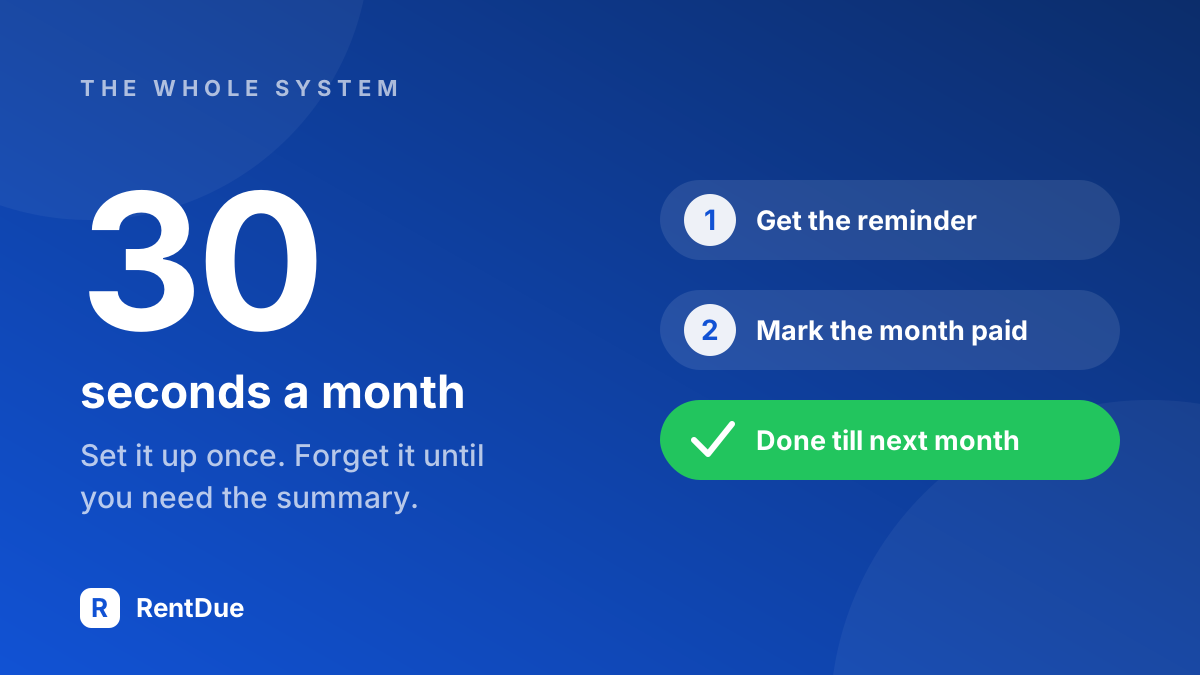
A month of rent tracking with RentDue takes three moments: a reminder a few days before the due day while a unit is still pending, a tap to mark each payment collected when it lands, and nothing else until next month. At the end of the year, the summary shows expected against collected rent for every property.
- A few days before the due day. A notification reminds you to check. Both units show as pending.
- The day the transfer lands. You open the app and mark that unit collected. Five seconds, with an undo if you tapped the wrong one.
- The second transfer. Same again. Once every unit is collected, the reminder stops for that property.
- December. The annual summary has every month, no gaps. The free plan exports the last two months as CSV or PDF; the full year for your records is a Pro export.
When is a simple rent tracker not enough?
A simple rent tracker is not enough once the job goes beyond knowing who paid. RentDue is not the right tool if you need tenant screening, online rent collection, lease signing or maintenance tickets, or if several people manage the same properties. At that point, property management software earns its price.
For one or two properties, those needs are rare. A small portfolio still needs a system, just a small one: set up once and checked in thirty seconds a month. If the alternative you're weighing is a spreadsheet, the comparison is in how to track rent payments without a spreadsheet, and the free option is a rent tracker that fits in your pocket.
Keep reading: How to Track Rent Payments Without a Spreadsheet · 5 Signs You Need a Rent Tracking App
Try RentDue
RentDue was built for landlords like you, with no account and no internet required. Set up your first property in under a minute.
Free with ads: 2 properties of up to 3 units each, and exports of the last 2 months. Pro removes the limits and the ads, exports the full year and backs up to your own iCloud or Google Drive.