Guide
How to Track Rent Payments Without a Spreadsheet
Updated October 3, 2026 · 6 min read
You started with a spreadsheet. Maybe a simple Google Sheet with columns for tenant names, monthly amounts and a "Paid" checkbox. For a while, it worked fine.
Then you added a second property. Or a tenant moved out and you had to shift rows around. You forgot to update February. March got marked paid twice. Now you're staring at a grid of coloured cells and you're not sure what's accurate anymore.
Most small landlords start with a spreadsheet because it's free and familiar. This guide covers where it breaks, what should replace it, how long to keep the records, and the cases where the spreadsheet is still the better tool.
Why do spreadsheets fail at tracking rent?
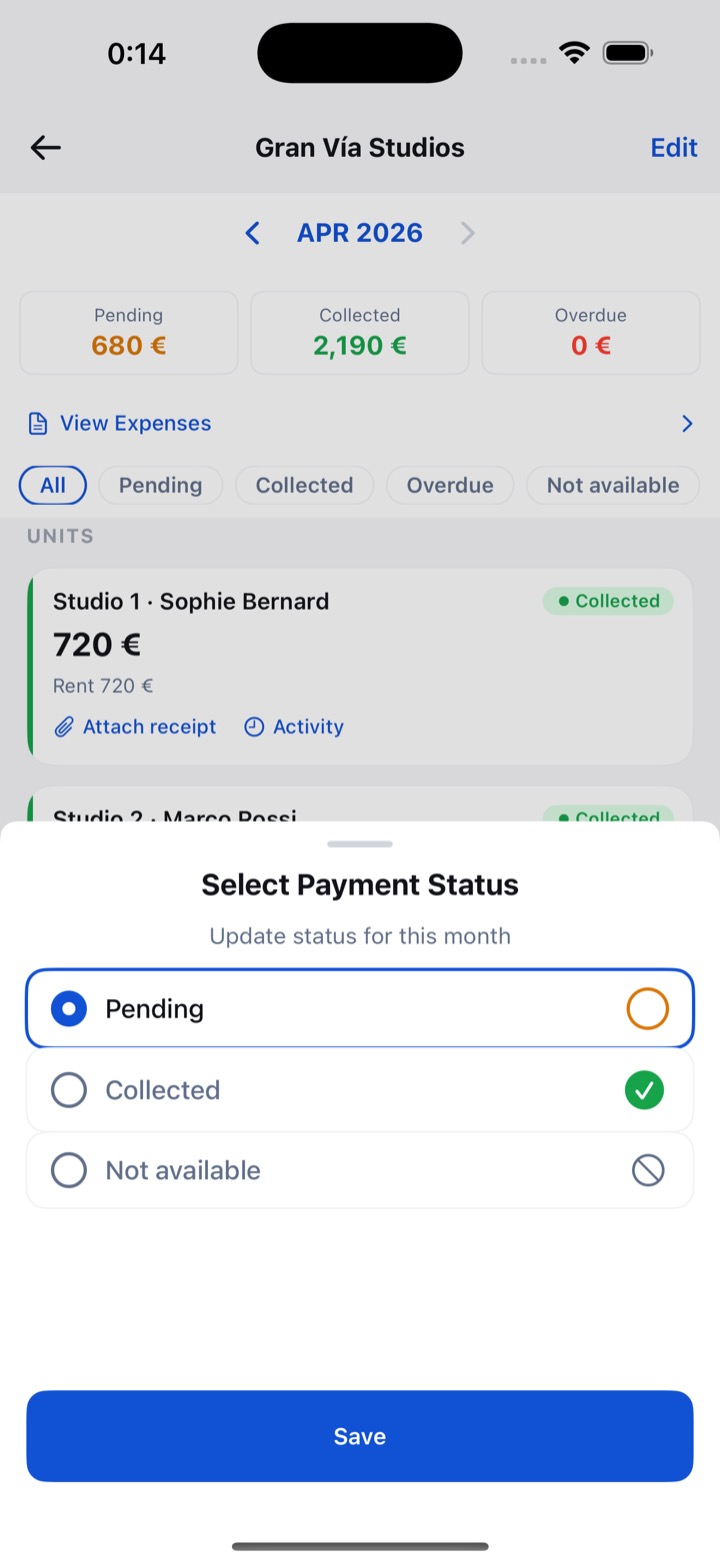
Spreadsheets fail at tracking rent because they store data but never ask for it. A sheet won't remind you on the due date, won't flag a month nobody filled in, and depends on you keeping its structure intact every month. RentDue was built around that gap: each unit gets a status per month, and an unpaid month stays visible until you resolve it.
- Manual upkeep. Every month you add rows, copy formulas and update statuses by hand. Skip a month and the sheet drifts.
- No reminders. A spreadsheet won't tap you on the shoulder when rent is due to check whether it came through.
- Silent mistakes. One wrong click overwrites a formula or shifts a value into the wrong column, and the error carries forward.
- Hard on a phone. Editing tiny cells with your thumb, standing at the door of your rental, is nobody's idea of a good time.
- No year view. At tax time you piece together totals from twelve tabs.
Is a notebook any better than a spreadsheet for rent?
A notebook is no better than a spreadsheet for rent once you have more than one unit: it is quicker to write in and has the same blind spot. A notebook never gives you a summary, so you can't glance at it and know whether every tenant is current. RentDue keeps the speed of the notebook and adds the summary. A lost notebook also takes the record with it.
With a single unit, a physical ledger is honestly fine. Write down the amount and the date, and you're done. The trouble starts when the question becomes "has everyone paid?" and the answer means flipping pages.
What should replace a rent spreadsheet?
The best replacement for a rent spreadsheet is a tool built around the question you ask each month, "has everyone paid?", which means tracking status, not data. RentDue answers it with one status per unit and month (pending, collected or not available), a new month that appears on its own and an overdue flag once the due day passes.
Spreadsheets record the amount, the date, maybe a note. A rent tracker answers one question per unit per month. That is the information you need on a Tuesday afternoon when you wonder whether the tenant in the second flat remembered to transfer, and it is much harder to break: there is no formula to overwrite and no row to delete by accident.
| Spreadsheet | Notebook | Rent tracker app | |
|---|---|---|---|
| A new month | Add rows and copy formulas | Turn the page | Appears on its own, every unit pending |
| Reminder before the due day | None | None | Yes, per property |
| "Has everyone paid?" | Scroll and check each row | Flip pages | One screen |
| Year totals | Only if the formulas survived | Add them up by hand | Expected against collected, built in |
| Custom calculations | Anything you can write a formula for | None | Only what the app offers |
What should you look for in a rent tracker?
A rent tracker worth switching to should be fast, simple, usable on a phone and able to work offline. Checking who paid should take under ten seconds, and the app should not ask for contracts or tenant screening before you can mark a payment. RentDue was designed against that list, and the same four checks work for judging any other app.
- Speed. If the app takes longer to open than it takes you to ask the question, it's the wrong tool.
- Simplicity. You need to mark rent as collected or pending. Contract management and maintenance requests can wait.
- Mobile first. Rent questions come up when you're out, not when you're at a desk.
- Offline support. An app that needs a connection fails exactly when you're standing in a stairwell with no signal.
What usually doesn't matter at this size: online rent collection if your tenants pay by transfer, accounting integrations with one to three properties, and tenant portals when your tenant already has your phone number.
How long should you keep rent records?
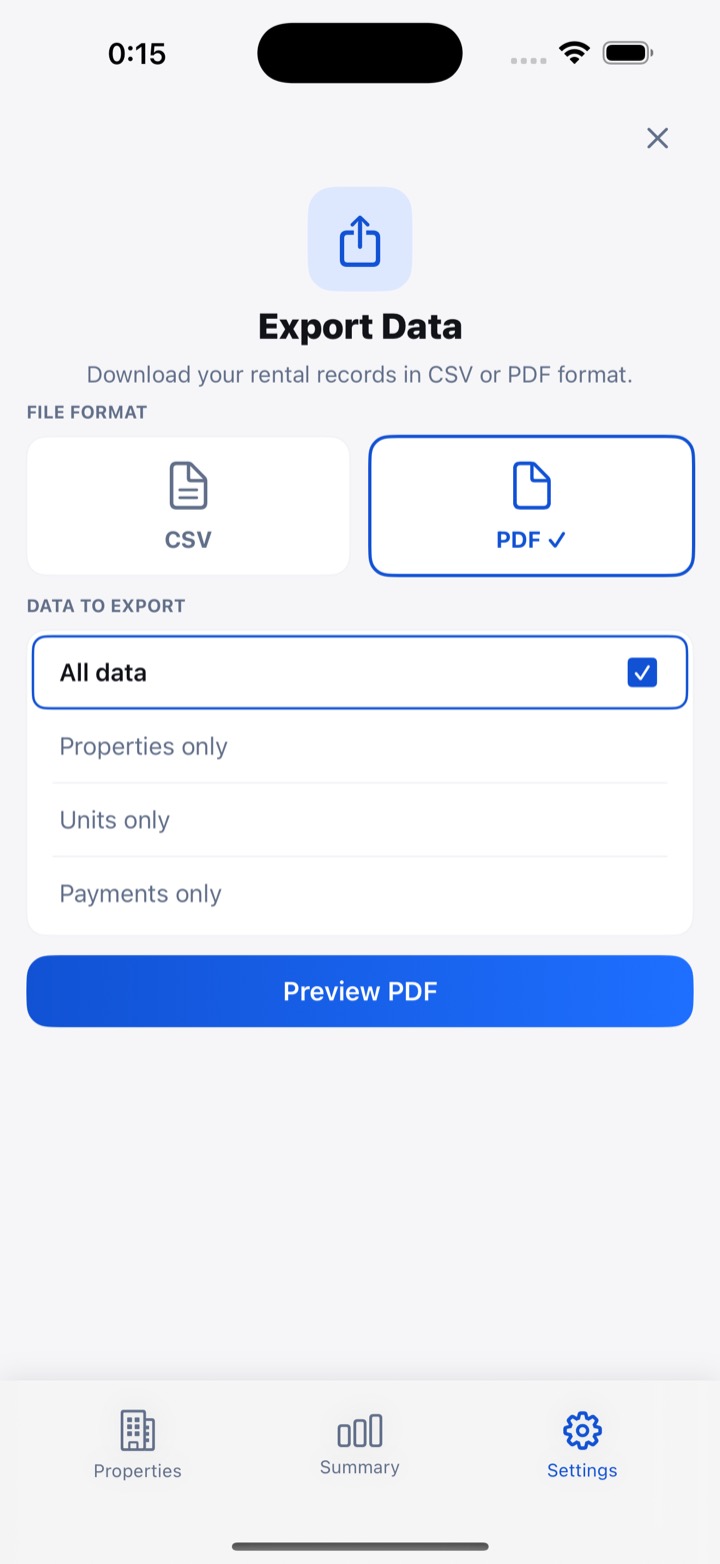
Rent records should be kept for as long as the tax authority can review the year, which in the US is generally three years from the date you filed, according to the Internal Revenue Service (IRS). Longer periods apply in some cases, such as unreported income. RentDue holds the monthly history on your phone, and an export turns it into a file you can archive.
The IRS page How long should I keep records?, reviewed on 30 June 2026, lists the exceptions: six years if you leave out income worth more than 25% of what you reported, seven for some loss claims. Other countries set their own periods. On the free plan, RentDue exports the last two months as CSV or PDF; exporting the full history is Pro. Either way, save a copy at the end of each year.
How do you switch from a spreadsheet to a rent tracker?
Switching from a spreadsheet to a rent tracker takes about five minutes if you start from the current month: add your properties, list the units with their rent, and mark this month's payments. RentDue does not import your spreadsheet and does not fill in months before you started, so keep the old sheet as your archive for past years.
You don't need to migrate years of history. From then on, updating takes less than a minute a month, compared with the upkeep the sheet needed. If a tenant already owed you something when you switched, note that balance separately before you start.
When is a spreadsheet still the right answer?
A spreadsheet is still the right answer if you open it reliably every month, need calculations no app offers, or share the file with someone who prepares your taxes in it. RentDue does not replace that kind of model: it tracks whether rent arrived, not mortgage interest or depreciation. Using both works too: the app for the monthly check and the sheet for the tax return.
If you keep the sheet, start from a free rent ledger template that opens every month with the rent due, so an unpaid month can't hide. The test is simple. If last month's row is filled in without you having to think about it, the sheet is working.
If you're reading this because March was marked paid twice, the cause is a tool that never speaks up. For one or two properties, the case is laid out in rent tracking with just 1 or 2 properties, and the free option is a rent tracking app that takes thirty seconds a month.
Keep reading: Rent Tracking for Landlords With Just 1 or 2 Properties · Why Your Rent Data Should Stay on Your Phone, Not the Cloud
Try RentDue
RentDue is a rent tracker for landlords with a handful of properties. Works offline, needs no account and shows who paid in seconds.
Free with ads: 2 properties of up to 3 units each, and exports of the last 2 months. Pro removes the limits and the ads, exports the full year and backs up to your own iCloud or Google Drive.