Privacy
Why Your Rent Data Should Stay on Your Phone, Not the Cloud
Updated October 3, 2026 · 6 min read
Think about the data sitting inside your landlord app right now. Tenant names. How much they pay each month. Which months they paid late. The addresses of your properties. Maybe even bank details.
Now think about where that data lives. If you use one of the popular property management platforms, it lives on someone else's server. A company you may not know much about stores your tenants' personal information alongside thousands of other users' data. And that company is a target.
What do cloud-based landlord apps actually store?
Cloud-based landlord apps store tenant names, monthly rent amounts, payment history and property addresses on the vendor's servers, not on your device. Most require an account first, so an email and password join the pile. Ten minutes after signing up, a platform you know little about typically holds all of the following:
- Your full name and email address
- The addresses of your rental properties
- Your tenants' names and, in some cases, their phone numbers or email addresses
- Monthly rent amounts per unit
- Payment history (which months were paid, which were late)
- If you connect a bank account: your financial institution and transaction records
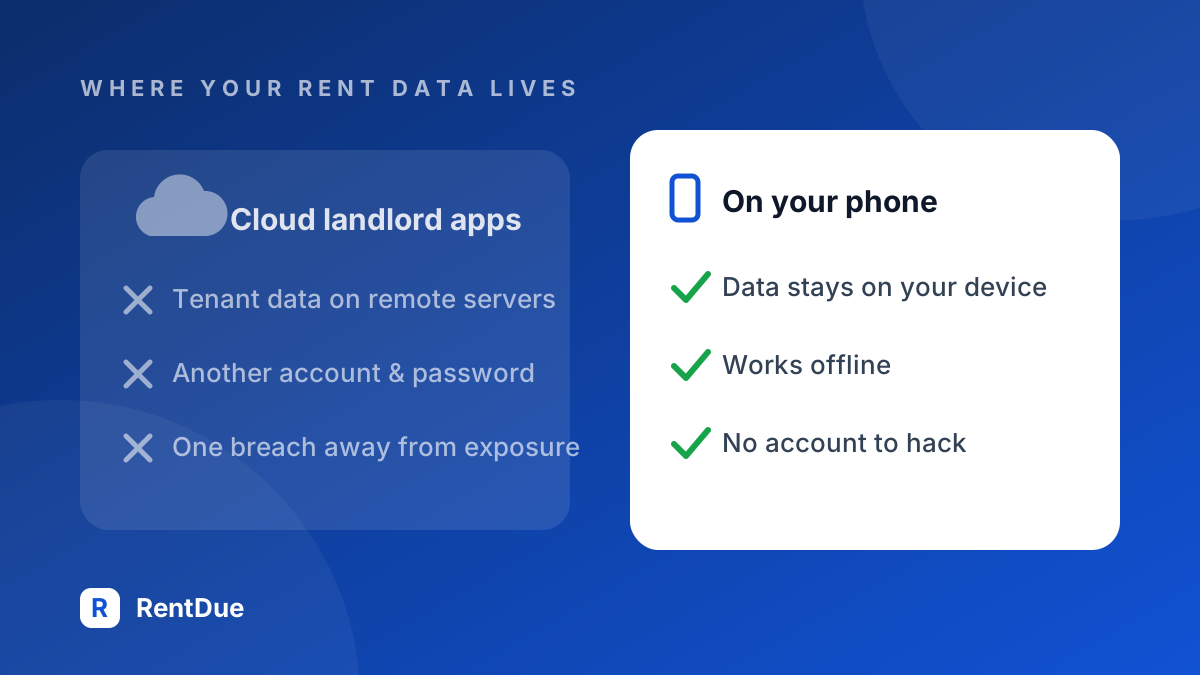
This is a lot of personal information, and not all of it is yours. Your tenants didn't sign up for the platform. They didn't agree to have their names and payment behavior stored on a remote server. You made that choice for them.
Are rent data breaches an actual risk?
The risk of a leak depends on where the data sits, not on how careful you are. A server holding the records of thousands of landlords is worth an attacker's effort; a phone holding two flats' records is not. With a cloud app, a breach at the vendor can include your tenants even if you did nothing wrong.
For a large management company, a breach is a PR problem. For a small landlord whose tenant's information gets exposed, it's a personal one. You're the person your tenant will call. You're the one who chose the platform.
Why does creating an account matter?
Creating an account hands a company your email, binds you to terms of service written by lawyers, and adds one more password to reuse or forget. RentDue asks for none of it: no registration, no login, no recovery flow. Here the account is the mechanism that puts your tenants' data on someone else's server in the first place.
Creating an account means giving a company your email at minimum. It means accepting terms of service that you probably won't read (they're long and written by lawyers). It means trusting that the company won't sell your usage data to advertisers or share it with partners.
For a small landlord with two apartments, creating an account on a property management platform is like registering for a warehouse when you need a closet. The overhead doesn't match the need.
And then there's password management. Another login, another password, another thing to remember. If the company gets breached and you reused a password, the damage spreads beyond the rent tracker.
What does "offline-first" actually mean?
An offline-first app keeps every record on your device rather than on a remote server, so it works with the network switched off because there is no server to reach. RentDue is built this way: tenant names and payment history stay on the phone, never sit in a database next to other landlords' records, and leave it only if you turn on the Pro backup to your own iCloud or Google Drive.
This has several practical benefits:
- No account required. If data doesn't leave your phone, there's no need for a login. You open the app and your data is there, protected by your phone's own lock screen.
- No internet dependency. The app works the same in front of your rental with poor signal, on a plane or in a parking garage.
- No breach exposure. If a company you've never heard of gets hacked, your tenant data isn't part of the leak, because that company never had it.
- No terms of service surprises. A company can't change what they do with your data if they never had it.
What do you give up by keeping data on your phone?
Keeping data on your phone costs you continuous cloud sync across devices, and that is a real loss. RentDue Pro answers it with backup to storage you already own rather than to a company server, but a landlord who genuinely needs several people working the same portfolio simultaneously is better served by a cloud platform.
| Cloud platform | On your phone (RentDue) | |
|---|---|---|
| Where tenant data lives | The vendor's servers, next to other users' records | The device showing it, plus your own iCloud or Google Drive if you turn on the Pro backup |
| Account required | Yes: email, password, terms of service | No account, no login, no recovery flow |
| If the vendor is breached | Your tenants' names and payment history can be in the leak | Nothing of yours to leak: RentDue never had the data |
| If you lose the phone | Data survives on the server | Data is gone unless you kept a Pro backup (see below) |
| Works with no signal | Usually not | Always |
| What you trade away | Control over where the data sits | Continuous multi-device sync |
On the free plan there is no backup: switching phones means setting up your properties again, and a broken phone takes the data with it. The free PDF export of the last two months is a record you can keep, not a copy you can restore.
For a landlord with 50 properties and years of payment history, that trade-off might be a dealbreaker. For a landlord with two apartments and a dozen months of records, it's minor. You can recreate your setup in five minutes.
For a small landlord, the convenience of cloud sync rarely justifies putting tenants' names and payment patterns on a third-party server.
What data protection obligations does a landlord have?
A landlord who records tenant names and payment history is processing personal data, which in the EU has meant obligations under the General Data Protection Regulation since it began to apply on 25 May 2018, private landlords included. Uploading that data to a platform means knowing where it is stored, how it is protected and who else sees it.
Outside the EU the rules differ by country and, in the US, by state.
Using RentDue doesn't change those obligations, but it shortens the list of companies you hand the data to: with the records on your phone, no app vendor holds them.
What happens if you lose your phone?
Losing the phone is the one real weakness of keeping records on the device, and it deserves a straight answer: without a backup, local data is gone with the handset. RentDue Pro closes that gap by backing up to storage you already own — your own iCloud or Google Drive — so the copy sits in your account rather than in a vendor's database.
A backup to your own cloud storage restores a new phone in a couple of minutes and still leaves nobody else holding your tenants' names. If you are on Pro, turn it on the day you install the app, not the day after you drop the phone in a canal.
Why do most rent apps push cloud sync anyway?
Most rent tracking apps lead with cloud sync because it is what makes a subscription defensible: a server that must be paid for every month justifies a fee every month. RentDue treats the same capability as an optional Pro backup to your own storage instead, which is a worse business model and a better deal for a landlord with a handful of units.
The limit of that stance: if two or three people need to update the same portfolio at the same time, a real cloud platform is the right tool and RentDue is not. For a landlord tracking their own units, the sync everyone sells is solving a problem you do not have.
What should you look for in a privacy-focused rent tracker?
A privacy-focused rent tracker should pass four checks: no account creation, full function with the network off, an analytics policy that excludes tenant names and amounts, and export on demand. RentDue was designed against that list, and the same four questions work just as well for judging any other rent tracking app you are considering.
- No account creation. If the app asks you to register, it's storing your data somewhere. True local apps don't need a login.
- Works without internet. If the app fails when you turn off Wi-Fi, it's sending data to a server.
- Clear privacy policy. Even local-first apps may use analytics. Check that the analytics are anonymous and don't include tenant names or financial details.
- Export options. You should be able to get your data out in a standard format (CSV or PDF) without jumping through hoops.
Do you need the cloud to track rent at all?
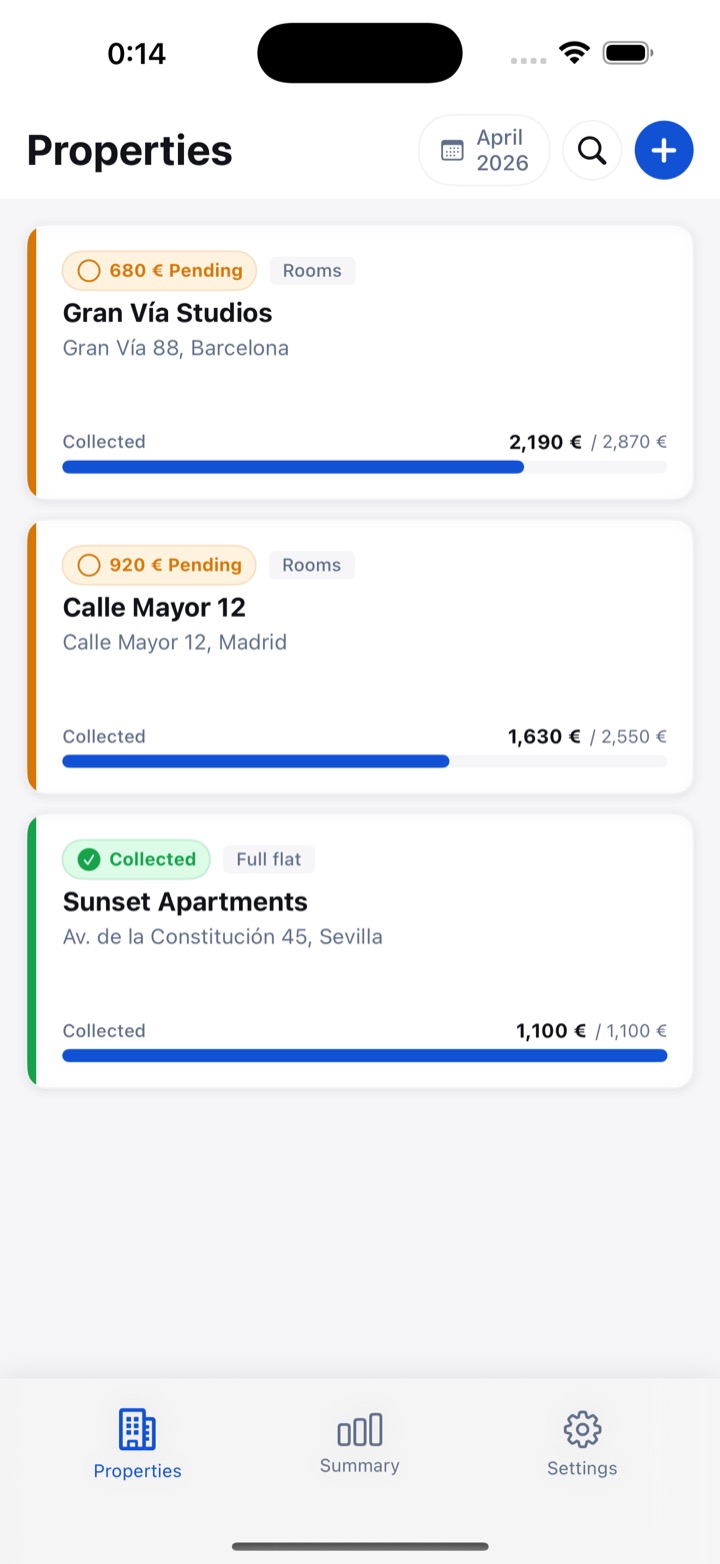
Tracking whether rent arrived needs three things: a list of units, a status per month and a reminder on the due date. None of them requires a server, and RentDue runs all three on the device in your pocket. The cloud earns its place in this job only as a backup you control, never as the place your tenants' records have to live.
Keep reading: 5 Signs You Need a Rent Tracking App · How to Track Rent Payments Without a Spreadsheet
Try RentDue
RentDue stores all data locally on your device: no account and no RentDue server. Pro adds a backup to your own iCloud or Google Drive. Track rent payments privately and offline, on Android and iOS.
Free with ads: 2 properties of up to 3 units each, and exports of the last 2 months. Pro removes the limits and the ads, exports the full year and backs up to your own iCloud or Google Drive.